


By Ayush Ranjan·Sep 9, 2022
Ayush Ranjan·Sep 9, 2022How to set up a Web3 video meeting

Guest Article by Ayush Ranjan
How to set up a Web3 Video Meeting with Cal.com and Huddle01
Cal.com and Huddle01 bring Web3 native meetings focusing on privacy 🔐, token-gating, pseudonymity, and an immersive experience of NFTs identities.
To set up Huddle01 on Cal.com
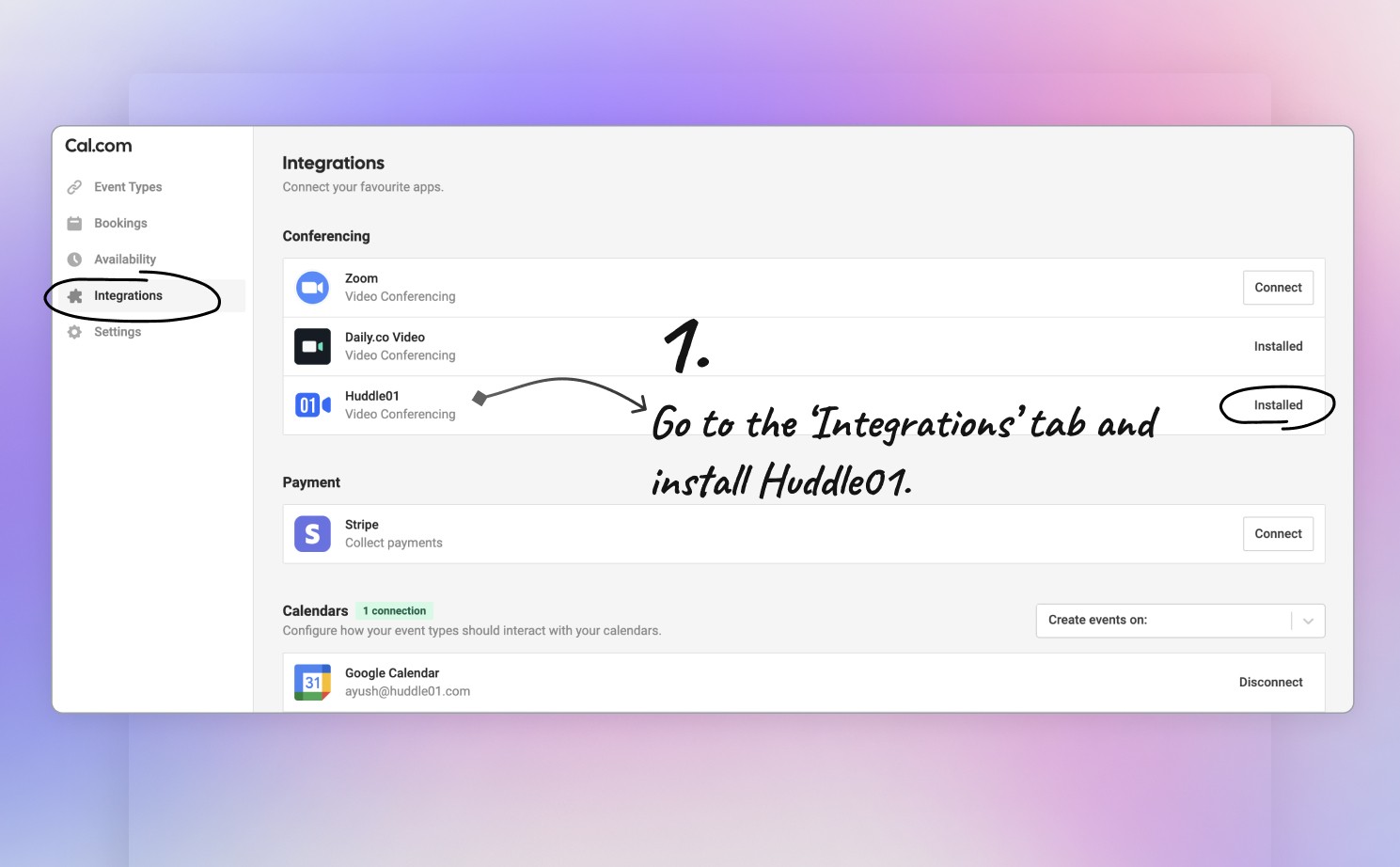
Step #1: Go to https://app.cal.com/apps and install Huddle01.
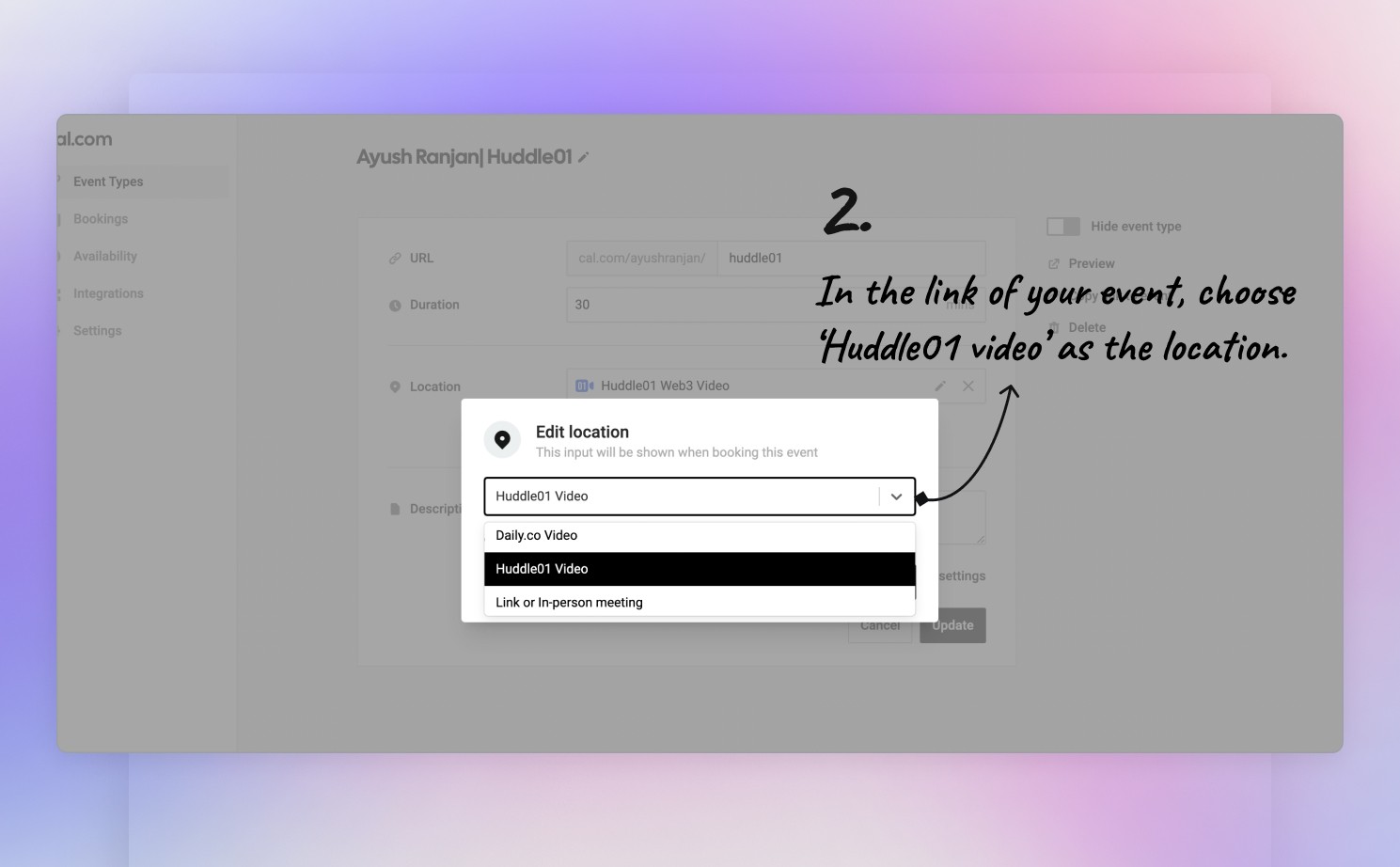
Step #2: Go to https://app.cal.com/event-types and select Huddle01 Video in the location section.
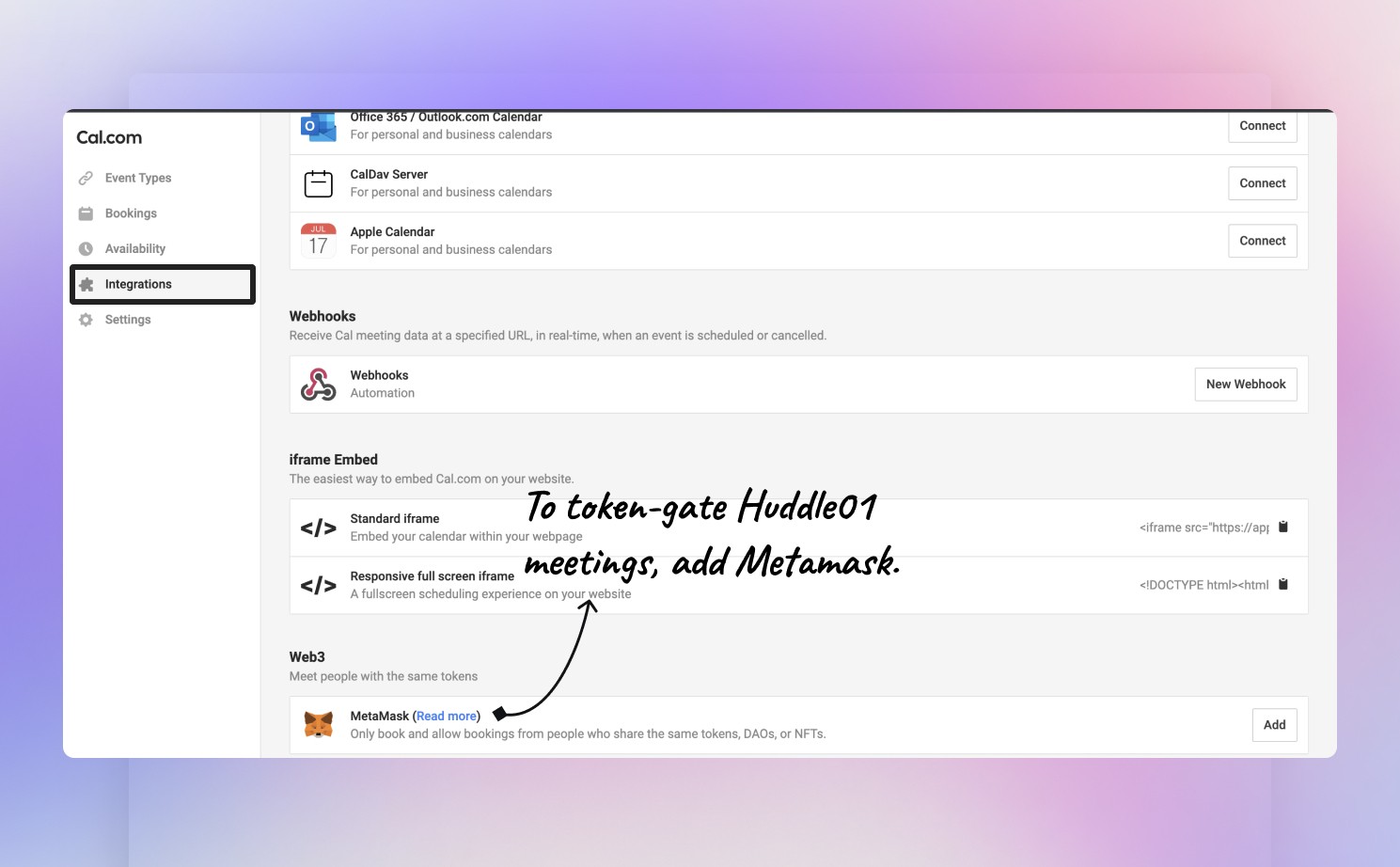
Step #3: Go to https://app.cal.com/apps and add MetaMask.
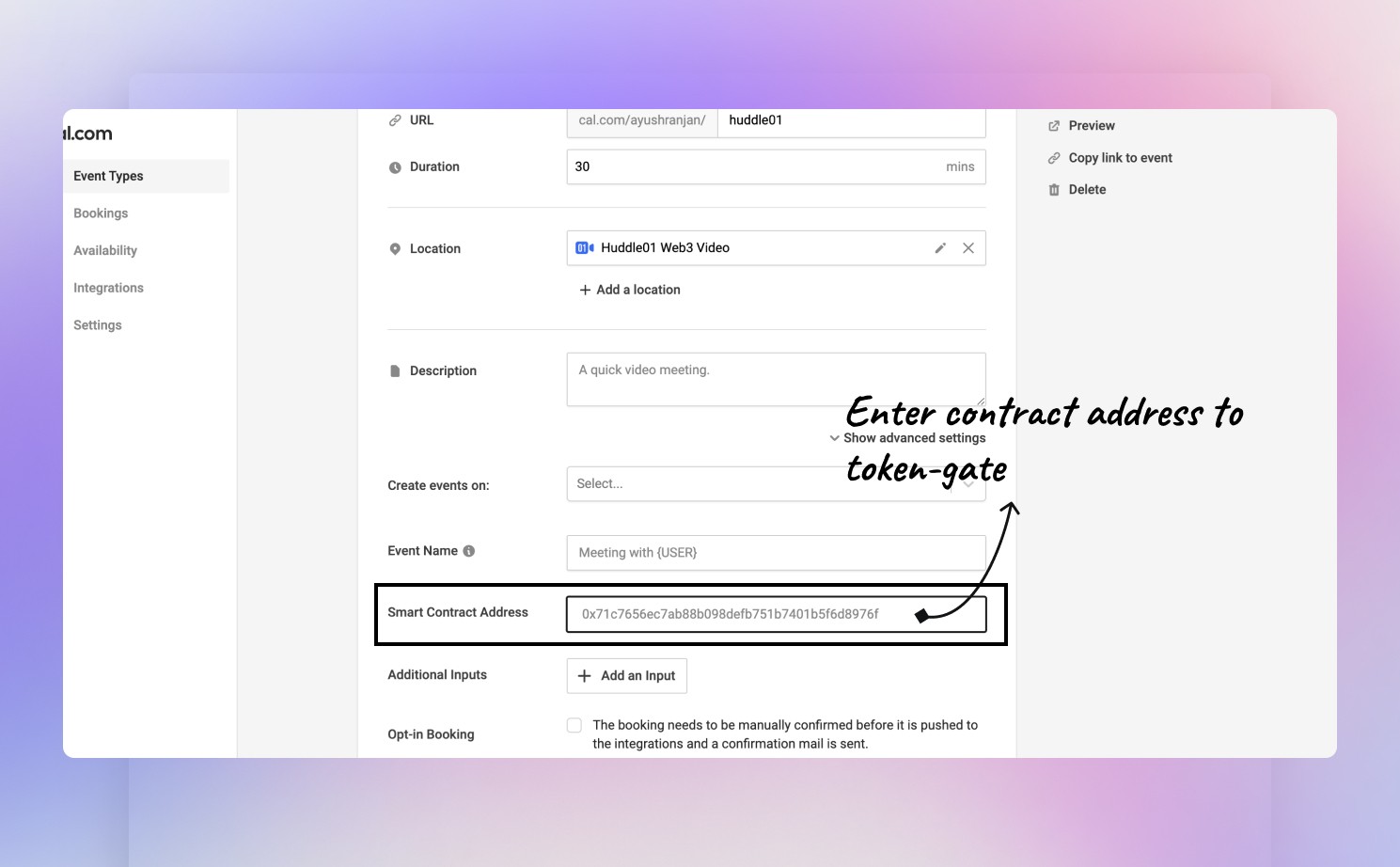
Step #4: Go to https://app.cal.com/event-types, select "Show advanced settings", and token-gate the meeting by entering the contract address.
Done! Share your Cal.com link to people and schedule your calls in a Web3 way!
Thank you for giving this a try and let us know what you think.