


 Susan Moeller·Apr 27, 2026
Chili Piper Pricing: Is It Worth it in 2026?
Everything you need to know about the current Chili Piper pricing tiers, hidden overhead, and how to decide if it actually fits your sales workflow.

Getting your sales process to run smoothly is hard enough without having to hunt down pricing details that seem hidden behind a “book a demo” button.
We’re guessing you’re likely here because you’ve heard Chili Piper is the go-to for routing B2B leads, but you’re also wondering if the cost is going to eat up your entire software budget.
It’s a common frustration, knowing a tool could help your team move faster… but not knowing if you can actually afford the seats. Most companies just want a clear pricing page where they can see the numbers upfront.
Well, this guide is here to clear that up.
We’ve looked into the current Chili Piper pricing tiers, the specific features you get for your money, and where the costs usually start to climb. So by the time you finish reading, you'll know exactly how their model works, which products actually matter for your workflow, and whether it’s the right fit for your sales stack or if you're better off looking at a more transparent alternative.
If that sounds good to you, then let’s get right into it.
Chili Piper Pricing (2026): Plans, Costs, and What You Actually Get

What is Chili Piper and Who Is It For?
If you work in B2B sales or revenue operations, you’ve likely bumped into the name Chili Piper more than once. Basically, Chili Piper is a demand conversion platform built to make sure that when a qualified lead wants to talk to you, they actually get a meeting on the books immediately.
Most people starting their search simply want to know what is Chili Piper exactly, and the answer lies in its ability to automate the handoff between marketing and sales. The goal is to turn website traffic into qualified meetings without the manual back-and-forth.
Standard scheduling tools usually provide scheduling links and hope the person on the other end picks a time. However, this tool takes a different approach by qualifying leads through your existing forms and routing them to the correct account executive based on rules you define.
It’s designed specifically for sales teams with a high inbound volume that need to maintain a fast speed-to-lead time to hit their revenue targets.
Revenue ops teams often choose this platform because it handles the complex logic of round-robin assignments and territory management that basic calendars can't touch. And while you might see people jokingly search for a Chilipepper or Chili Pepper scheduling solution, the real value here is in the heavy-duty Chili Piper scheduling workflows that connect directly to your CRM.
In short, it’s a specialized tool for organizations that have outgrown simple booking links and need a way to manage lead ownership across a large, distributed sales force.
Chili Piper Pricing Overview
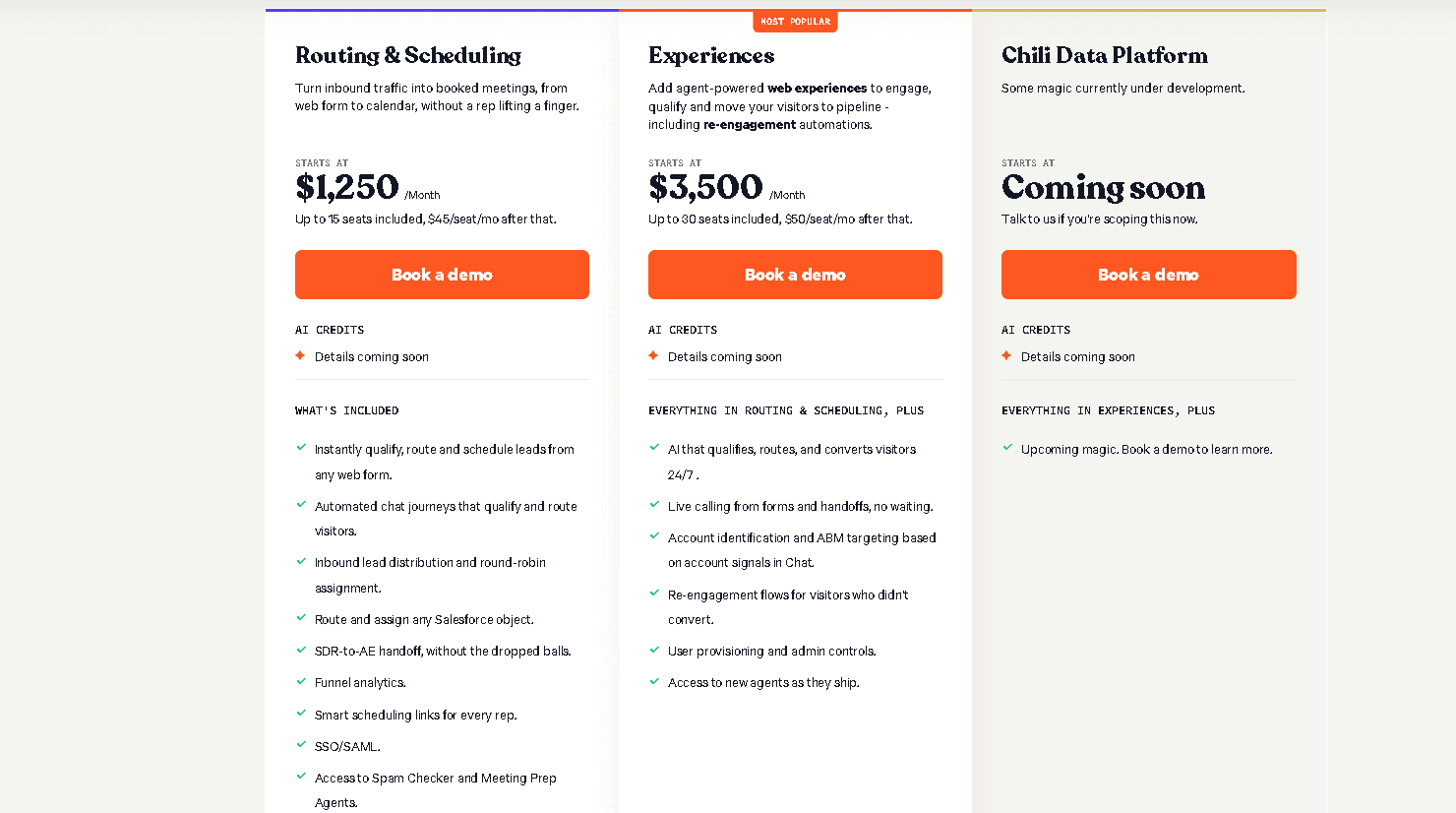
If we’re being honest, finding a straightforward price list on the Chili Piper website is a bit like trying to find a quiet corner in a busy airport. Most of the time, you’ll see a “request a demo” button instead of a clear dollar amount.
This happens because the platform uses a modular, sales-led approach.
They don't offer a single flat rate that covers everything. Instead, your bill depends on which specific products you need and how many people on your team will be using them. You also have to factor in separate platform fees that sit on top of the individual user costs.
The structure usually starts with a base platform fee. From there, you add seat costs for every user who needs a Chili Piper login to manage their meetings.
This per-feature and per-user model is designed for companies with moving parts and complex sales pipelines. It allows for a lot of customization, but it also means the costs can climb quickly as you add more SDRs or account executives to the mix.
Now, if you’re a solo founder or a very small team, this setup might feel a bit heavy. That’s because the Chili Piper pricing model is clearly built with enterprise budgets in mind. It favors organizations that have the inbound lead volume to justify a more significant investment in their revenue operations.
For those larger teams, the lack of transparency is often framed as a way to build a custom package, but for everyone else, it just means you won't know the final cost until you've sat through a sales call.
Chili Piper Products and Pricing Breakdown
Understanding the total cost of this platform requires looking at it as a collection of specialized tools rather than one single app. Each module targets a specific part of the sales cycle, and they all come with their own price tags.
Let’s take a look.
Chili Piper Concierge Pricing

Concierge is the flagship product most people associate with the Chili Piper brand. It acts as the gatekeeper for your inbound leads by qualifying them the second they hit your website forms.
If a prospect meets your ideal customer profile, Concierge lets them book a meeting right then and there. This eliminates the “we'll get back to you in 24 hours” delay that kills so many deals.
And since this is a high-impact tool for revenue teams, the pricing for Concierge is structured as a premium offering. You generally won't see a public price tag because it involves a significant annual platform fee plus the cost of user seats for your reps.
It’s a sales-led process where the quote is tailored to your lead volume and the complexity of your routing logic. This includes handling group meetings where multiple stakeholders need to be on the call at once.
This module is best for B2B companies that have a steady stream of inbound traffic and need to move qualified prospects to a live demo as fast as possible. So if you’re struggling with a leaky funnel where people fill out forms but never actually show up for a call, this is the specific module built to solve that problem.
Chili Piper Handoff Pricing
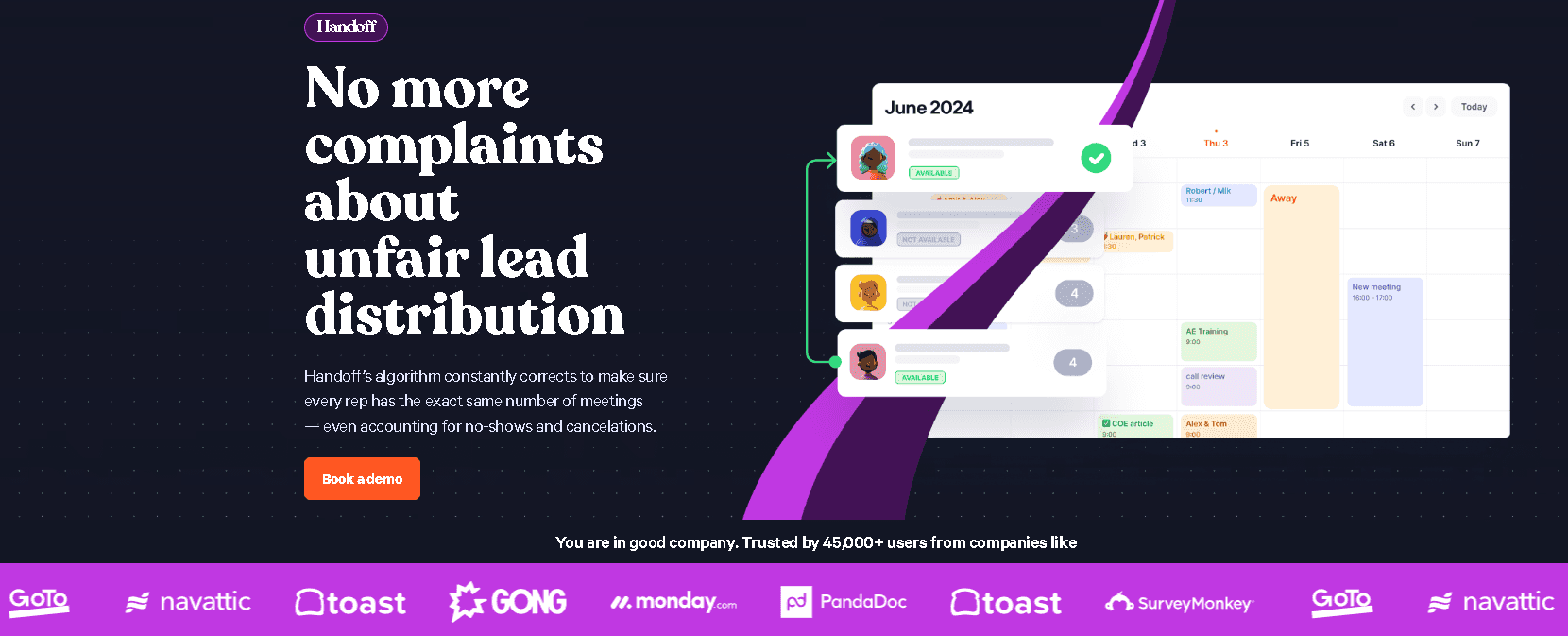
Handoff is the tool that manages the “relay race” between your team members. For example, after an SDR qualifies a lead, they need to pass that person over to an Account Executive (AE) without any friction.
Handoff automates this by showing the AE's availability directly in the SDR's calendar view, ensuring the meeting is booked with the right person based on territory or industry rules.
You can expect the pricing for Handoff to be a bit more accessible than Concierge, but it still follows the per-user seat model. Most teams see this as a necessary expense when they reach a certain size and need to maintain accurate lead ownership in their CRM.
This tool is a solid choice for sales orgs that want to keep their reps focused on talking to prospects rather than arguing over who gets which meeting.
Chili Piper Pricing Distro Pricing
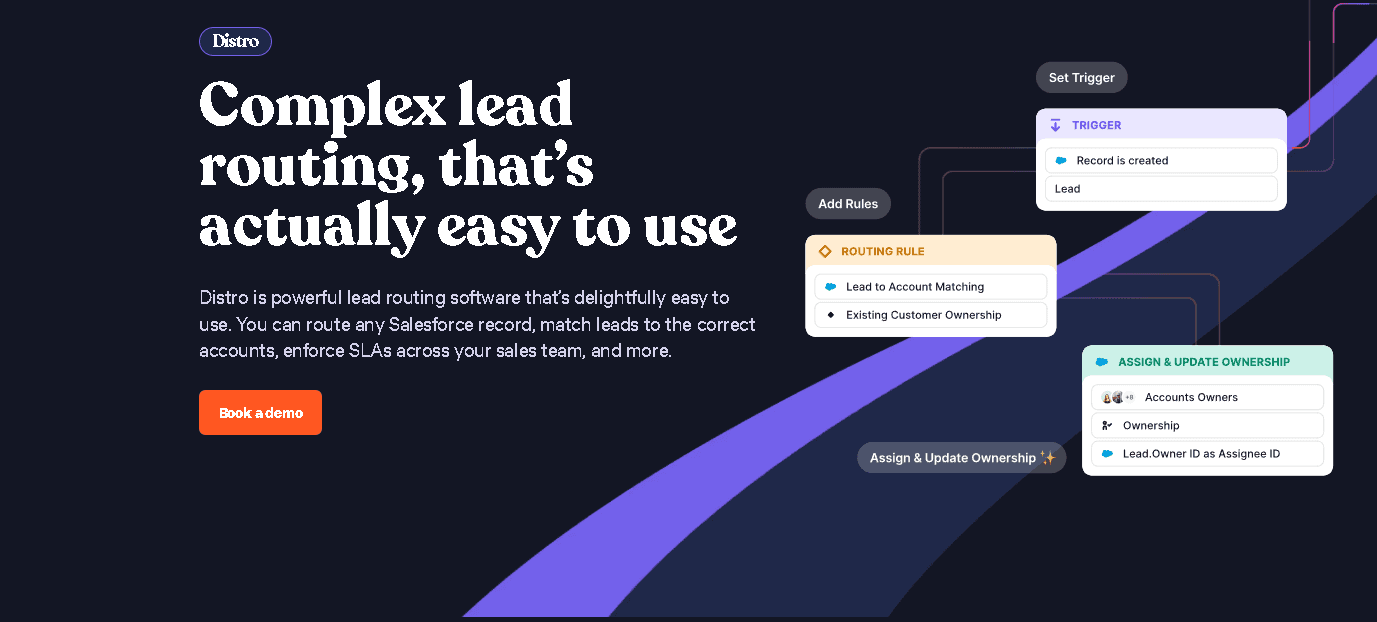
Distro is all about lead distribution and automation behind the scenes. It handles the who-gets-what logic for leads that aren't necessarily booking a meeting through a form.
If a lead comes in through a CSV upload or a partner referral, Distro uses round-robin or weighted rules to assign that lead to a rep in real-time.
In terms of positioning, this is an enterprise-grade routing engine.
The pricing is often bundled for larger teams that are already invested in the Chili Piper ecosystem and need to ensure their Salesforce or HubSpot data stays clean. It helps avoid the mess of double-assigned leads or prospects sitting in a queue for days because the assigned rep was on vacation.
Chili Piper Forms Pricing
Next, this module focuses on the actual scheduling functionality integrated directly into your existing web forms. It’s the layer that connects your front-end user experience to the backend routing logic.
While some of this functionality is wrapped into the Concierge package, there are ways to discuss it as an add-on or a specific part of a custom plan depending on how much control you need over the form fields.
Most organizations find that they need to talk to a sales rep to determine if they can get away with a basic setup or if they need the full power of the platform's form routing. Because the Chili Piper logo and interface are so recognizable to B2B buyers, many teams see the cost as a way to build trust with prospects during that first interaction.
What Affects Chili Piper Pricing?
Understanding the sticker price is one thing, but knowing why the total on your invoice looks a certain way is another.
Well, several variables come into play when the sales team puts a quote together for you. Since the platform is modular, you’re not just paying for a link but also paying for the logic and the people behind the scenes.
Your head count is the most obvious factor here.
The platform typically charges per seat, so the number of SDRs and Account Executives who need a Chili Piper login will directly impact your monthly bill. If you have a massive sales floor, those seat costs add up quickly. Even a basic teams plan can get pricey as you scale your headcount.
It’s also worth noting that adding more feature modules, like Distro for lead assignment or Handoff for rep-to-rep transitions, creates a stacking effect on the price.
Technical requirements play a massive role as well. The depth of your Chili Piper integrations with platforms like Salesforce or HubSpot can change the complexity of the setup. And if you have highly specific routing rules based on territories, company size, or lead scores, the implementation becomes more intensive.
Enterprise-level needs, such as advanced security certifications or dedicated support, also push the pricing into a higher bracket.
Finally, the sheer volume of leads you handle matters. High-traffic websites with thousands of form submissions per month require more robust processing power from the scheduling engine.
While it’s built to handle that scale, the platform fee often adjusts to reflect the amount of data moving through the system. Checking the Chili Piper status page might show a stable system, but maintaining that performance for enterprise-scale lead flow is a part of what you're paying for.
Is Chili Piper Worth the Price?
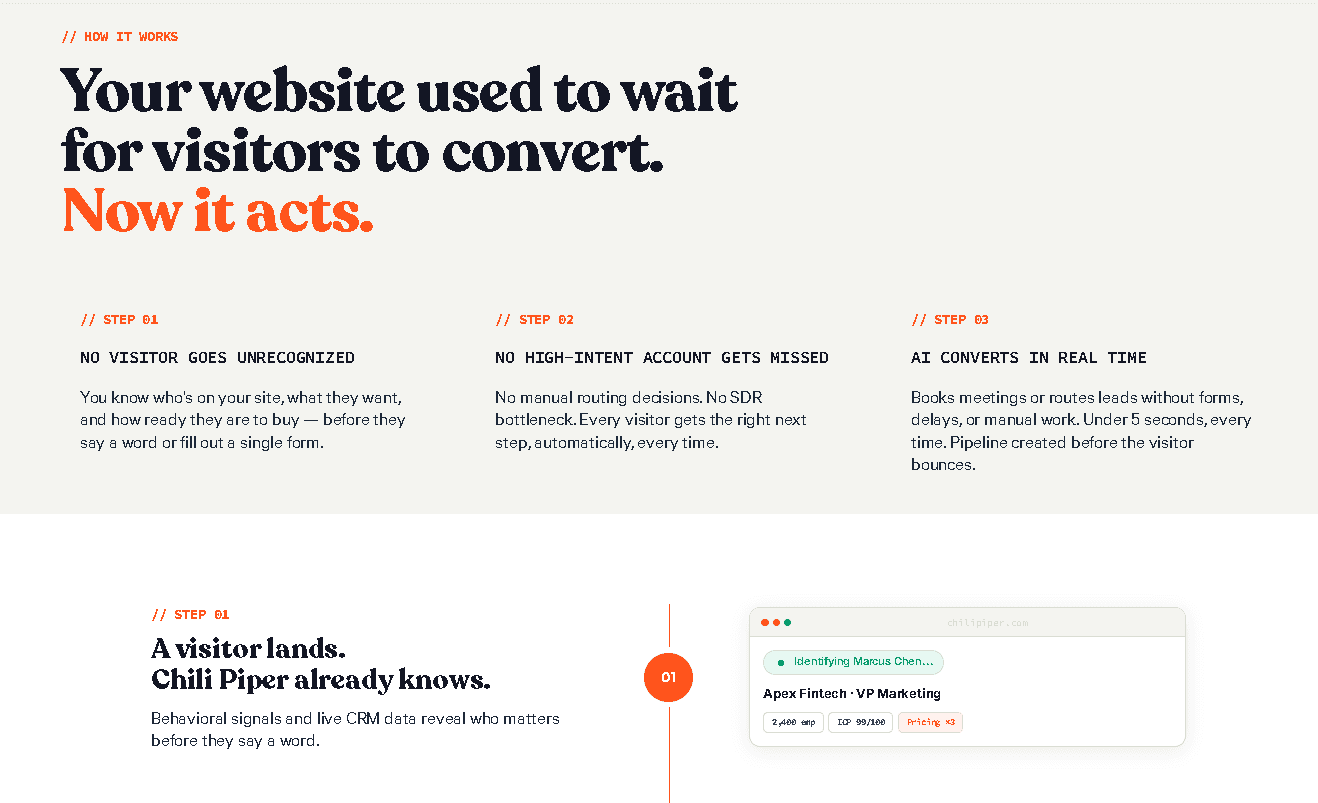
Deciding if the investment pays off usually depends on how much friction you currently have in your sales process.
For high-volume sales teams that manage a constant stream of inbound leads, the software is often seen as a necessity. Come to think of it, when you have dozens of SDRs passing leads to AEs across different time zones, the manual work of checking calendars and territories is a massive time sink.
In these cases, the automated routing logic justifies the cost by ensuring no lead sits in an inbox for hours.
On the other hand, smaller teams or startups with simpler scheduling needs might find the price tag a bit steep. If you only have one or two people handling demos, paying for a complex platform fee and individual seats is likely overkill. After all, you can find plenty of tools that provide a simple booking link without the enterprise-level overhead.
The platform is built for scale, so if you’re not at the point where lead distribution is a daily headache, your budget might be better spent elsewhere.
Keep in mind that the actual value here centers on speed-to-lead and the resulting revenue impact. Getting a prospect into a meeting the second they show interest significantly increases the chances of closing a deal.
This immediate connection is exactly what separates a specialized tool from a basic calendar.
Most positive Chili Piper reviews highlight how it transforms the conversion rate of website forms. If your inbound pipeline is the primary driver of your growth, the efficiency gained from these automated workflows can pay for the subscription many times over.
Hidden Costs and Limitations to Consider
Even the most powerful software comes with a few trade-offs, and this platform is no exception. While the efficiency gains are significant, you should be prepared for the reality of what it takes to actually keep the system running.
One of the biggest hurdles for many teams is the lack of transparent pricing.
Since the final bill is often tied to custom quotes and sales-led conversations, it’s hard to know your exact budget impact until you’re deep into the process. This can be frustrating for managers who just want a quick answer on Chili Piper pricing without sitting through multiple demos.
The setup process is another factor that requires a serious time commitment. You can't just flip a switch and expect your lead routing to work perfectly because it requires a lot of technical under-the-hood work to map your CRM fields and define your distribution rules.
Most companies find they need a dedicated person to manage the Chili Piper log in permissions and keep the routing logic updated. If you don't have the internal resources to handle this ongoing maintenance, the tool can quickly become a bottleneck rather than a solution.
Using such a heavy-duty engine can be a bit like using a tractor to mow a tiny front lawn, if you will. For teams with simple scheduling needs or low lead volume, the platform is often complete overkill.
As we’ve said earlier, if your primary goal is just to let people pick a time on your calendar, the enterprise-level platform fees will be hard to justify. You’re paying for high-level logic and Chili Piper integrations that you might never actually use if your sales process is straightforward.
Finally, your experience is heavily tied to your existing CRM ecosystem. The tool relies on a deep connection with Salesforce or HubSpot to function correctly. And if your CRM data is messy or if your team isn't diligent about updating lead records, the routing automation will fail.
You’re essentially adding a complex layer on top of your existing data, so any cracks in your current foundation will be magnified. Keeping an eye on the Chili Piper status page is helpful, but most technical issues actually stem from how well your CRM and the platform are talking to each other.
Chili Piper vs Cal.com (AI Scheduling Alternative)
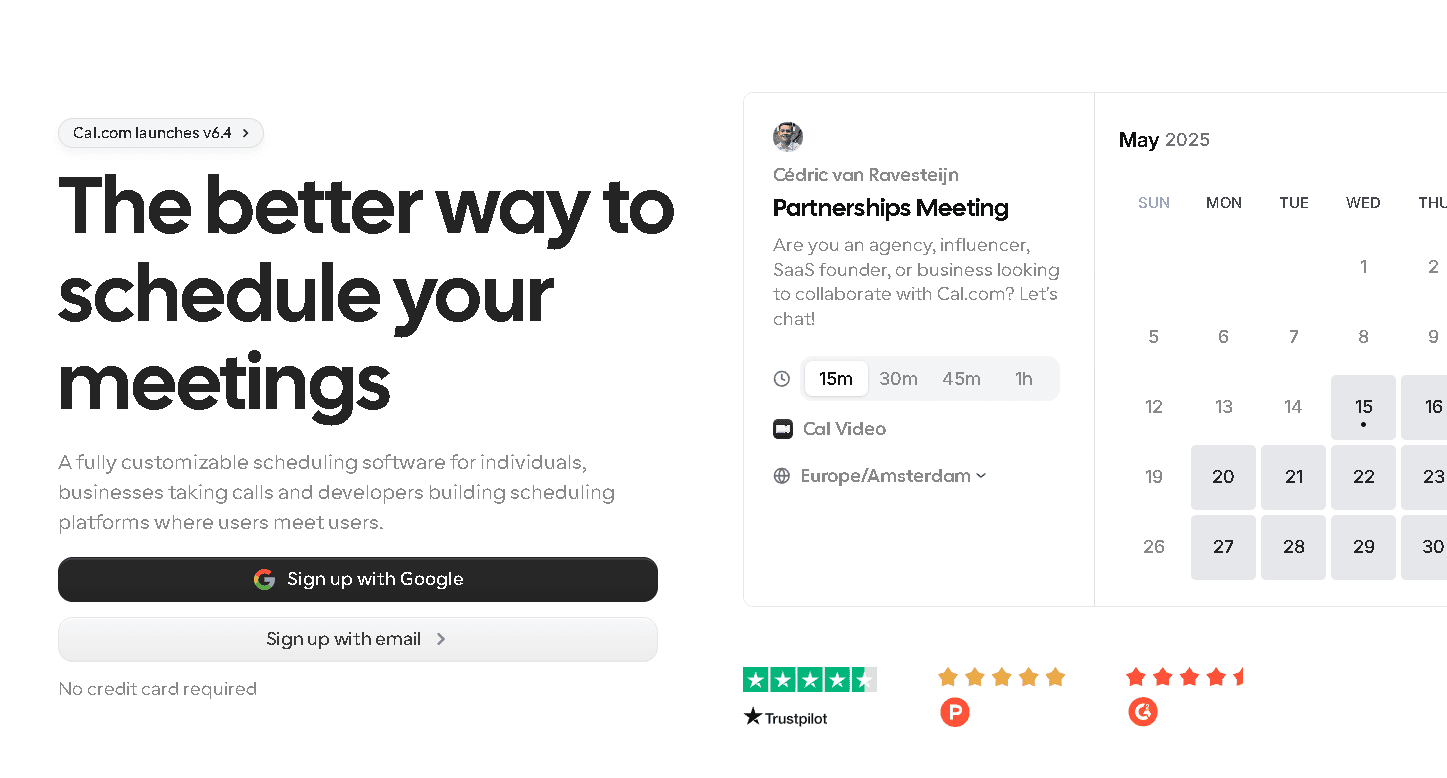
Selecting the right tool usually comes down to how your team actually works on a daily basis. While both platforms help you get meetings on the books, they occupy very different corners of the tech world.
Let’s break down the specifics of how they compare so you can decide which one actually fits your workflow.
Core Difference in Approach
The philosophy behind Chili Piper is centered on strict, rule-based routing. It acts as a heavy-duty traffic controller for sales teams, using rigid logic to decide exactly which rep gets which lead.
It’s built for a world where every lead follows a predetermined path through a complex CRM. On the other side, Cal.com focuses on AI scheduling and automation. It uses more flexible, intelligent workflows to handle the booking process, making it feel less like a series of if-then statements and more like a smart assistant.
Pricing Philosophy
You can see a massive contrast in how these two companies handle their bills. Chili Piper pricing is famously sales-led and custom. You often have to hop on a call to get a final number, and you’re usually looking at a significant platform fee plus individual seat costs.
This enterprise-first model is geared toward large corporations with massive budgets. Meanwhile Cal.com takes a more accessible and transparent approach. Their pricing tiers are clearly listed, allowing you to sign up and start moving without a long negotiation process.
Where Cal.com Wins
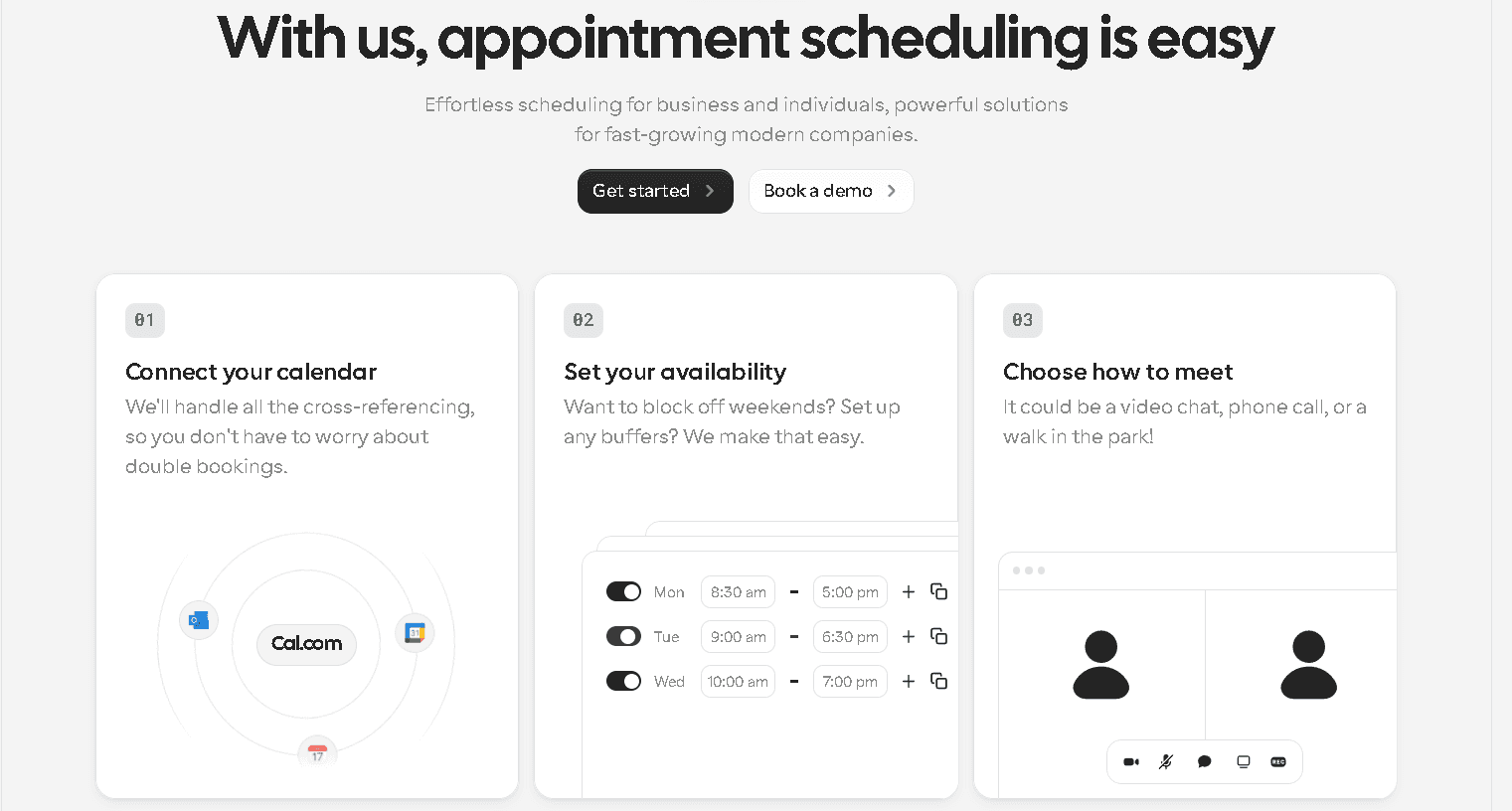
Modern teams often gravitate toward Cal.com because of its beautiful UI and ease of use. The platform offers AI-powered scheduling workflows that automate the tedious parts of coordination without requiring a degree in database management to set up.
You can get up and running much faster since it doesn't have the same heavy dependency on a perfectly maintained CRM ecosystem. We’d say it’s the better choice for teams that want sophisticated automation but prefer a clean, intuitive interface over complex backend configuration.
When Chili Piper Still Makes Sense
Despite the higher entry cost, Chili Piper remains a good option for massive sales organizations that have already built their entire world around Salesforce. If your company has a dedicated revenue ops team and extremely complex routing logic that relies on deep, custom CRM workflows, you might find the specific features here necessary for your current setup.
The platform is geared toward enterprise sales environments where every single lead must be mapped to a specific account owner based on very rigid internal rules. For teams that spend their entire day inside Salesforce and require that specific level of granular control over every field update, it stays on the list of traditional choices.
In short, using Chili Piper to manage those high-stakes handoffs can work if you have the budget and the staff to maintain such a heavy system.
Chili Piper Integrations
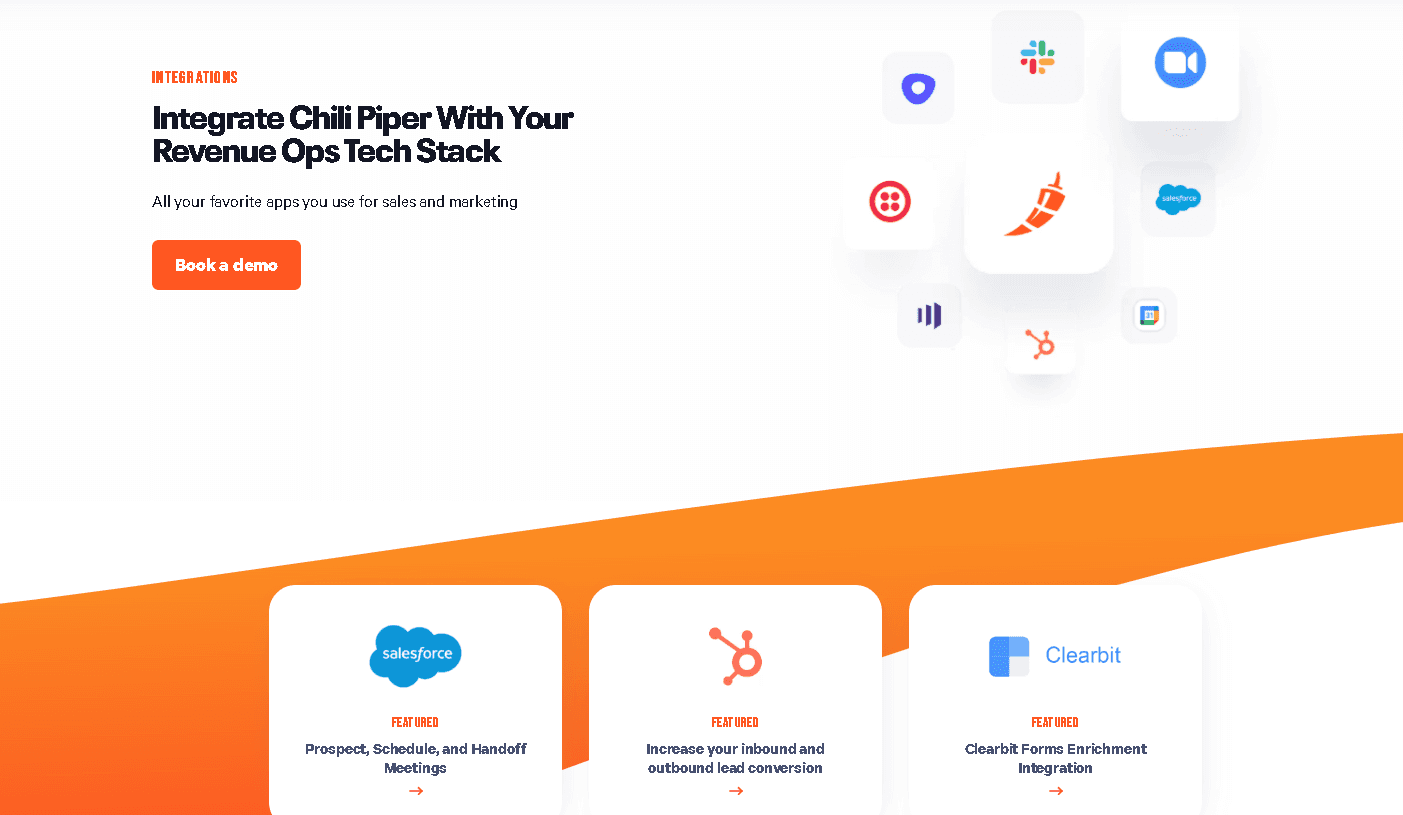
A platform like this only works if it plays nice with the tools your team already uses every day. Remember, most of the value in the Chili Piper pricing comes from how deeply it hooks into your existing tech stack to move data around. If the software lived on an island, it wouldn't be able to route a single lead effectively.
Salesforce and HubSpot are the big names here. The system uses these connections to look up who owns an account before a meeting is even booked. It checks your CRM data in real-time to decide if a lead should go to Bob in Chicago or Sarah in New York.
These Chili Piper integrations also handle the boring admin work, like creating new events and updating lead statuses automatically. This keeps your records clean without requiring your reps to spend half their day on manual data entry.
Moreover, communication tools like Slack and Microsoft Teams are also part of the mix. You can set up notifications so that your reps get an immediate ping the moment a high-value prospect books a slot.
This immediate visibility is a huge part of why the tool is a favorite for revenue ops teams. It bridges the gap between your website forms and your internal chat apps, making sure that every chili piper login session results in actionable information for the sales floor.
Beyond the CRM and chat, the platform connects with video conferencing tools like Zoom and Google Meet to generate unique meeting links for every session. It also syncs with your calendar (whether you use Outlook or Google) to manage availability and prevent double bookings.
You see, this level of connectivity is exactly why Chili Piper is a heavy hitter in the enterprise space. You can say it’s the glue that holds your various sales tools together.
Chili Piper Reviews: Pros and Cons

Gathering feedback from teams that use this platform every day reveals a clear pattern. People generally love the power it provides but acknowledge that it requires a certain level of commitment to master.
Here is a breakdown of what actual users report in most Chili Piper reviews.
Pros
-
Best-in-class lead routing: The logic used to assign leads is very precise. You can set up specific rules that look at territory, company size, or even custom CRM fields to make sure the right rep gets the notification immediately.
-
Improves speed-to-lead: This is the biggest win for most sales orgs. By allowing qualified prospects to book a meeting directly from a form, you remove the hours or days of waiting that usually happen with manual follow-ups.
-
Strong enterprise features: The platform is built for scale. It handles complex round-robin scheduling, weighted distribution, and deep Salesforce syncing without breaking a sweat, which is vital for large-scale revenue operations.
Cons
-
Expensive: As we’ve discussed, the Chili piper Pricing is a major investment. Between platform fees and per-user costs, it’s often priced out of reach for smaller startups or teams without a massive inbound pipeline.
-
Steep learning curve: This is not a plug-and-play tool. Setting up the routing rules and ensuring the Chili Piper integrations are mapped correctly in your CRM takes time and technical knowledge. You’ll likely need a dedicated admin to keep things running smoothly.
-
Not flexible outside sales use cases: The software is laser-focused on B2B sales. If you try to use it for internal team syncs, recruitment, or general customer support, you might find the interface and logic are too rigid for those more casual interactions.
Final Verdict: Is Chili Piper Pricing Worth It?
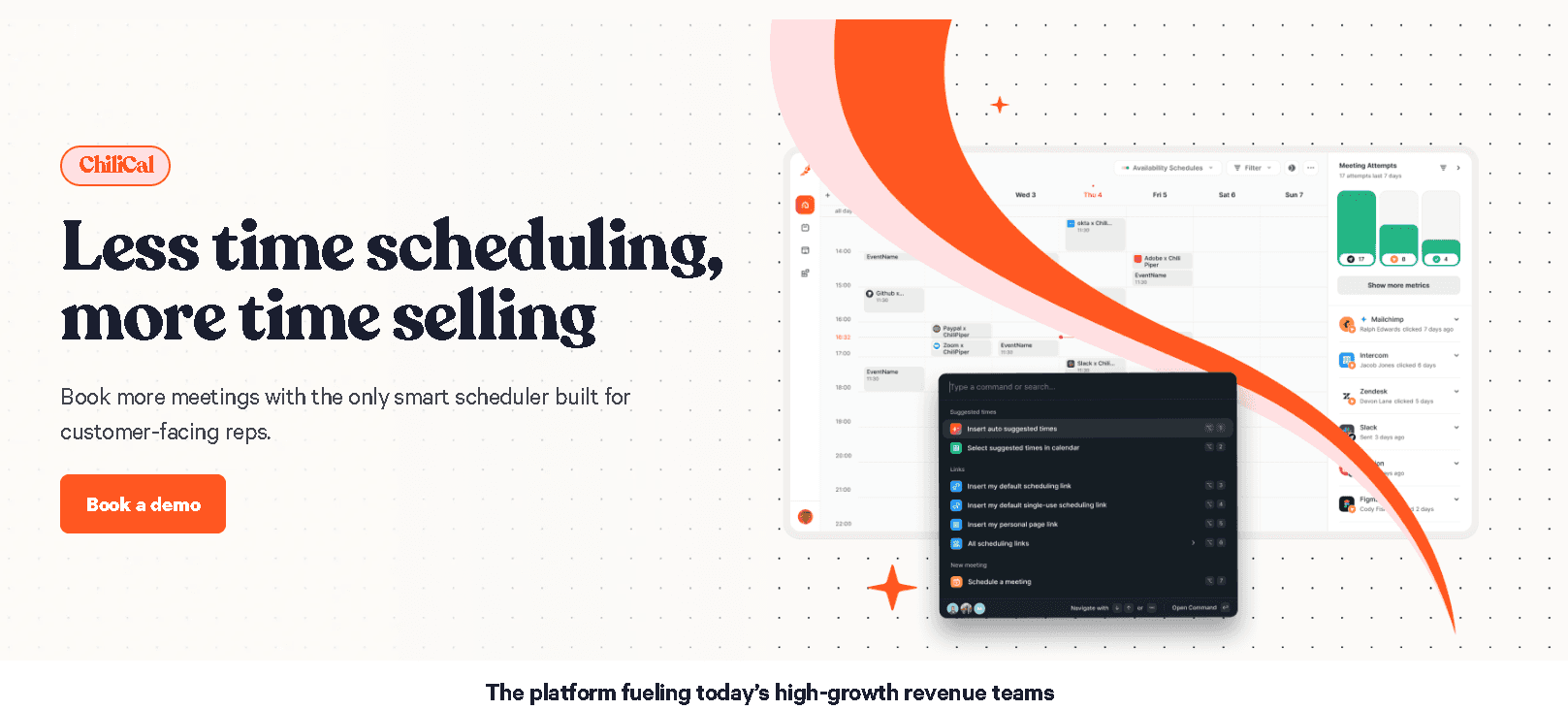
Deciding on a software investment often comes down to the size of the fire you’re trying to put out. So if you’re running a massive sales organization where leads are constantly vanishing into the void, the heavy-duty logic found in Chili Piper can be a lifesaver.
It’s the go-to for teams that have reached a level of complexity where manual routing is no longer an option. For these groups, the high price point and the time spent on the initial setup are simply part of the cost of doing business at scale.
Conversely, many teams will find that this platform is far more than they actually need. If you don't have a dedicated revenue ops person or a highly complex Salesforce setup, you might find the platform fee and per-seat costs hard to swallow.
Smaller startups or those with a straightforward inbound process are better off avoiding the administrative headache that comes with such a rigid, rule-based system. You want a tool that helps you book meetings, not one that requires a full-time employee just to manage the settings, after all.
And for most modern teams, Cal.com stands out as the smarter, AI-driven alternative.
It offers a much more streamlined experience without the enterprise-heavy baggage that usually accompanies Chili Piper. You get a beautiful UI that your team will actually enjoy using, combined with smart automation that doesn't rely on messy, outdated CRM rules. It’s built for the way people work today: fast, flexible, and intuitive.
That said, the right choice depends on your specific goals for 2026. If you need a massive, Salesforce-centric routing engine and have the budget to match, the original “spicy” scheduler is there for you.
But if you want a platform that prioritizes ease of use and modern AI workflows, Cal.com is likely the better fit for your growth. Taking a moment to look past the Chili Piper logo and into the actual daily workflow of your reps will give you the answer you need.
FAQ
How much does Chili Piper cost?
While user seats often show up as $15 or $30, the true Chili Piper pricing usually involves an annual platform fee that can hit thousands of dollars. It follows a sales-led model, so you will likely need to chat with their team for a custom quote based on your lead volume.
Does Chili Piper offer a free plan?
No, there’s no free version available. Since the platform is built for high-level revenue teams, the entry point starts with paid, enterprise-focused tiers.
Is Chili Piper only for sales teams?
Primarily, yes. The features are specifically built for B2B sales and revenue operations. The logic for things like lead distribution and handoffs is very rigid, making it a specialized tool for sales pipelines rather than general scheduling.
What does Chili Piper do?
Chili Piper manages lead routing and instant scheduling directly on your website forms. It qualifies prospects in real-time and immediately connects them with a rep to keep your inbound pipeline moving.
Is there a simpler alternative to Chili Piper?
For teams that want to avoid enterprise complexity, Cal.com is a great choice. It features a beautiful UI and an AI-first approach that is much more accessible. It offers sophisticated automation without the steep learning curve or the opaque custom price tags.